checklist / Oct 26, 2026
Before Immich Frees Phone Space, Check What Else Loses a Copy
A successful upload is not the whole deletion decision. Check iCloud, chat attachments, server backups and recovery before removing phone originals.

Immich's Free Up Space feature removes eligible phone copies after upload, but it does not prove that the remaining copies are independently protected. On an iPhone using iCloud Photos, cleanup can also remove the iCloud copy. For a self-hosted photo library, the important decision is not simply whether the upload finished: it is whether the photo will remain recoverable and available where it is needed.
This is a pre-deletion checklist, not an instruction to empty a camera roll. It applies to current Immich mobile versions that expose Free Up Space. It requires access to the relevant Immich account, the phone's photo-library permissions, and information from whoever operates the home server. Checking server backup jobs may require an administrator; it does not require giving the mobile account administrator privileges.
Is the server holding the intended originals?
A timeline full of pictures is a poor deletion checklist because it does not establish the status of every local file. Immich's mobile backup documentation describes album selection, exclusions and background scheduling. A selected album and a completed upload are different facts, particularly when a phone has not had time or network access to finish.
- Confirm that the intended albums are selected and that exclusions are deliberate.
- Check representative recent photos and videos from another signed-in browser, including opening or downloading an original rather than relying on a thumbnail.
- Treat missing, pending or failed items as reasons to pause cleanup.
The documented Free Up Space eligibility rules require an uploaded asset that is not in Immich trash. Do not replace that review with manual bulk deletion from a gallery app. Sampling checks the workflow; it does not prove every file is safe.
Will iCloud remain a separate copy?
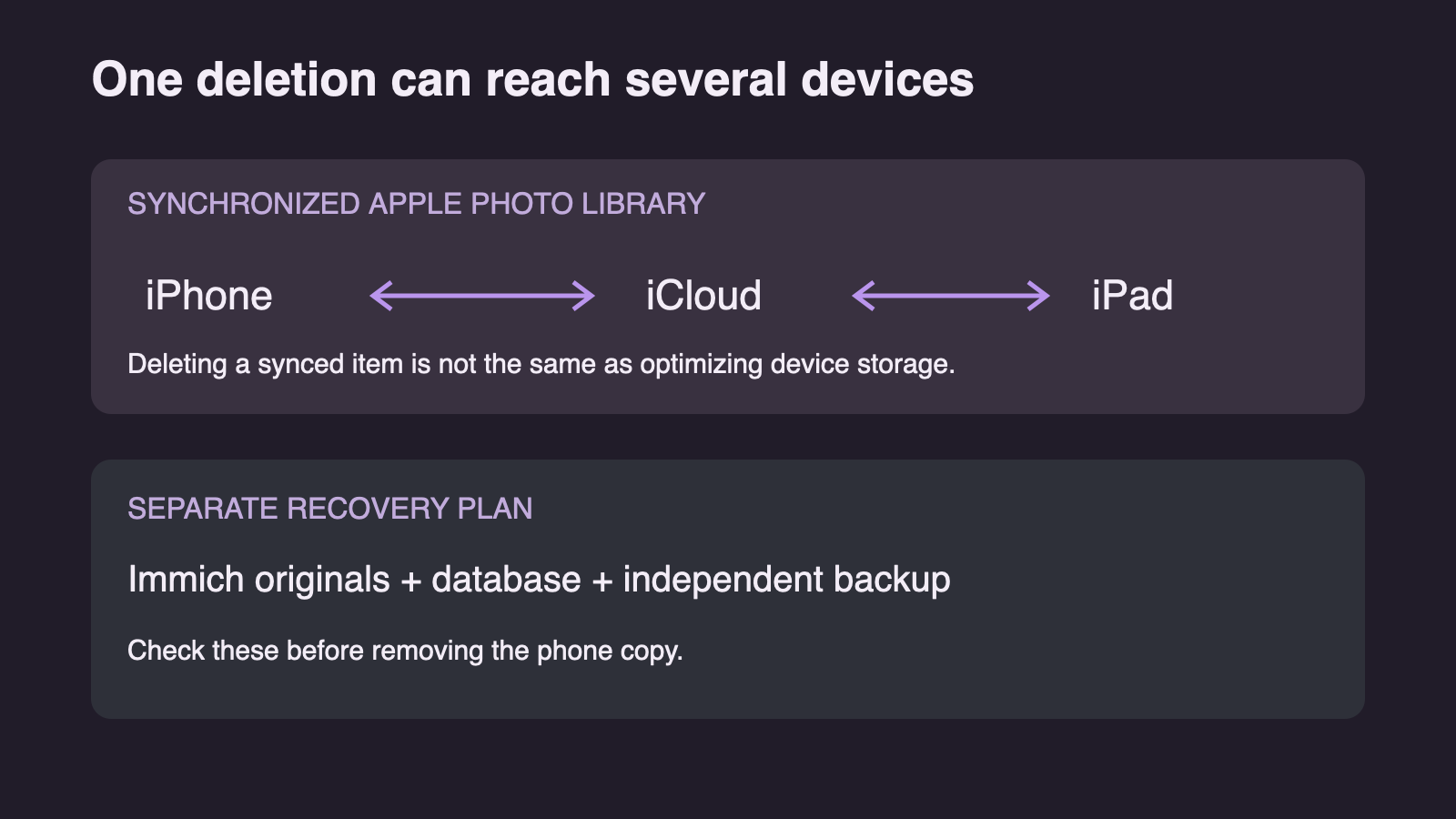
Not necessarily. Apple documents that deleting a photo while using iCloud Photos propagates to the other devices signed into the same Apple Account. Immich's mobile guidance explicitly warns about this consequence of Free Up Space. A second device displaying the same synchronized library is not an independent safeguard against that deletion.
If keeping originals in iCloud is part of the storage plan, pause here. Apple's Optimize iPhone Storage keeps full-resolution content in iCloud while using smaller device copies when needed. That is a different mechanism from deleting library items. Menu placement depends on iOS version; the current Apple instructions put the setting under Settings, the account name, iCloud and Photos, with an additional iPhone Storage choice on iOS 27.
Which apps still need a local file?
A photo available from the home server is not automatically available inside the app that originally stored it. Immich warns that removing backed-up WhatsApp media can leave chat attachments blurry or missing, even though the images remain viewable through Immich. Other messaging workflows may also need a locally available file or an explicit share from Immich.
The review question is therefore broader than whether a photograph matters: does its original application still need it? Free Up Space has Keep albums, Keep favorites and media-type retention controls. Check those choices against actual usage rather than assuming a default covers every important folder. Immich notes that Album Sync must be enabled for WhatsApp to appear in the relevant album list.
Does the home server have its own recovery copy?
Phone-to-server upload protects against some phone failures. It does not automatically protect against losing the server's storage. Immich's server backup documentation separates database backups from photo and video files: a database dump alone does not contain the originals.
Before removing the phone copy, establish that the backup plan covers both the database and asset files, and that at least one recovery copy survives failure of the primary storage. A backup folder on the same failed disk is not that protection. Ask for a recorded restore test and its date, not just a green job indicator. This checklist does not require restoring over the running library, which would be a separate, potentially destructive operation.
Is the proposed removal list narrower than the goal?
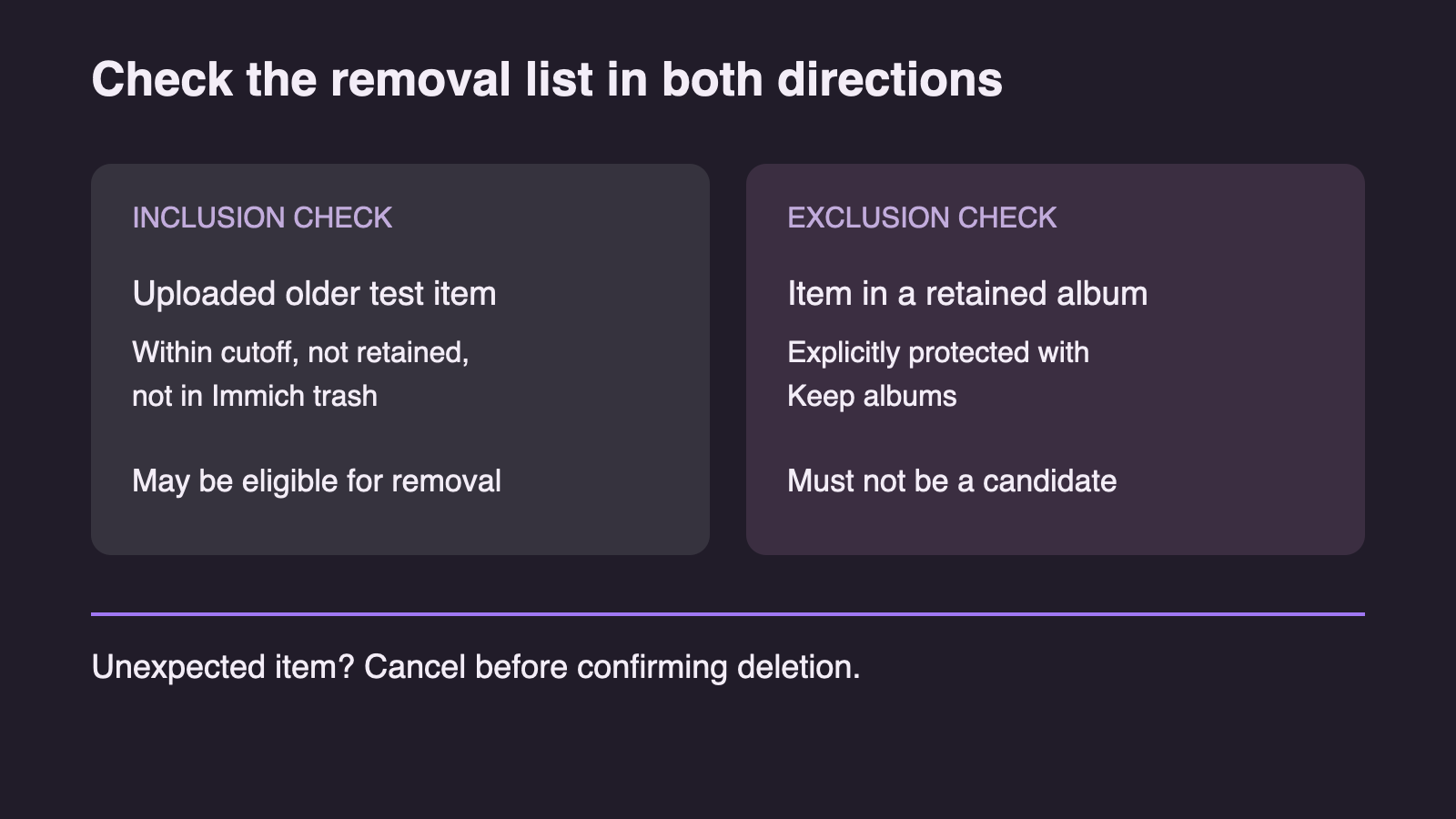
Use the Free Up Space review as a stop-or-proceed decision, not a formality. The cutoff date, retained albums, favorites and photo/video rules determine which files are candidates. The expected result is a bounded list that matches the intended cleanup, not the largest possible space saving.
- An uploaded, eligible older test item may appear as a removal candidate.
- An item explicitly retained through Keep albums should not appear as a removal candidate.
- Any unexpected candidate is a reason to cancel before confirmation.
These checks exercise both inclusion and exclusion. If retained media appears in the list, verify the album selection and app version before continuing; do not compensate by accepting the entire batch.
What recovery window remains afterward?
Immich sends confirmed removals to the phone's native trash or recycle bin. Storage may not become available immediately while those files remain there. That delay is also a recovery opportunity, so emptying trash should be a separate decision rather than an automatic final step.
Apple allows recovery through Photos' Recently Deleted album within its documented retention period, normally 30 days; permanently deleted items cannot be recovered from that album. Android behavior depends on the gallery and device. Check the actual destination and retention policy rather than importing the iPhone assumption.
If an unintended removal occurs, stop further cleanup and recover from the native trash while the item is still there. If it has already gone, recovery depends on the remaining Immich original or an independent backup; the phone undo path is no longer available. Proceed only when the retained copies, application dependencies and recovery options are understood—not merely because the upload counter reached zero.
Verification ledger