tutorial / Aug 14, 2026
Build a Reliable Plex DVR for Over-the-Air TV
Connect a network TV tuner to Plex, map local channels, record a test program, and verify that guest-network clients cannot reach the tuner.
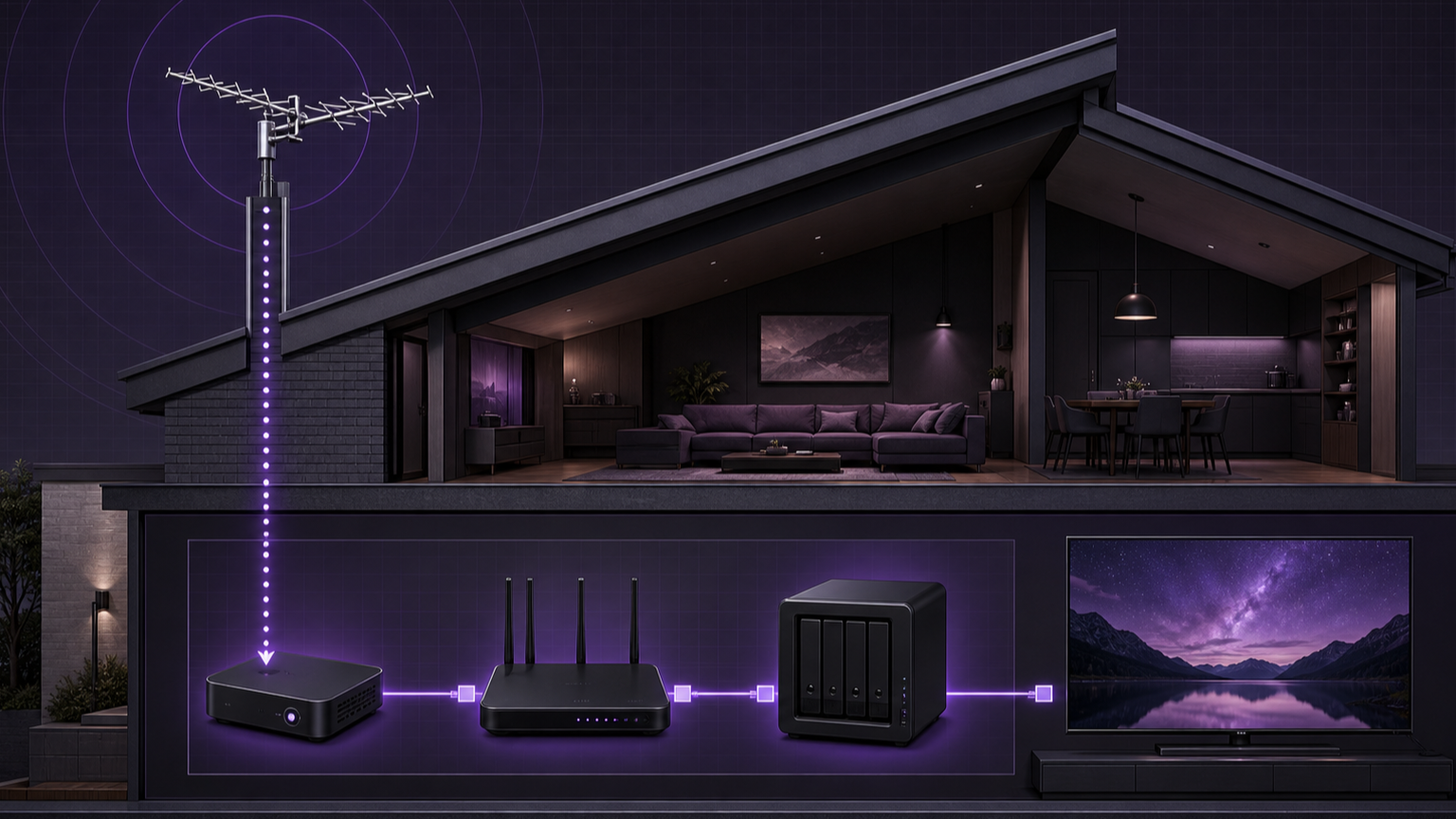
The outcome
This tutorial adds local over-the-air television to a Plex homelab through a supported network tuner. The finished system will show mapped channels in the Plex program guide, play one channel, save one short recording, and keep the tuner unavailable to guest-network clients. The design does not expose the tuner to the public internet.
A network tuner converts the antenna signal into streams on the local network. Plex discovers those streams, adds guide data, and stores recordings in a normal TV library. Plex allows live viewing with compatible hardware, but DVR recording requires an active Plex Pass.
Prerequisites and compatibility limits
Prepare these items before changing Plex:
- A digital antenna that matches the broadcast system in the region.
- A Plex-supported tuner. HDHomeRun network tuners are supported across the regional tables in Plex documentation.
- Wired Ethernet from the tuner to the main router or trusted switch.
- A current Plex Media Server and access to Plex Web as the server administrator.
- An active Plex Pass for recording and program-guide features.
- A writable TV library with enough free space for test recordings.
- Permission to create a Dynamic Host Configuration Protocol reservation in the router.
Plex does not support channels protected by digital rights management. Low-powered servers can also struggle when a client needs an MPEG-2 broadcast transcoded. Plex estimates that one hour of MPEG-2 can use about 3–5 GB at 720p or 6–8 GB at 1080i, so reserve storage before scheduling a series. A tuner has a finite number of channels it can tune at once. Competing applications can consume those tuners and cause recording conflicts.
Build the signal and network path
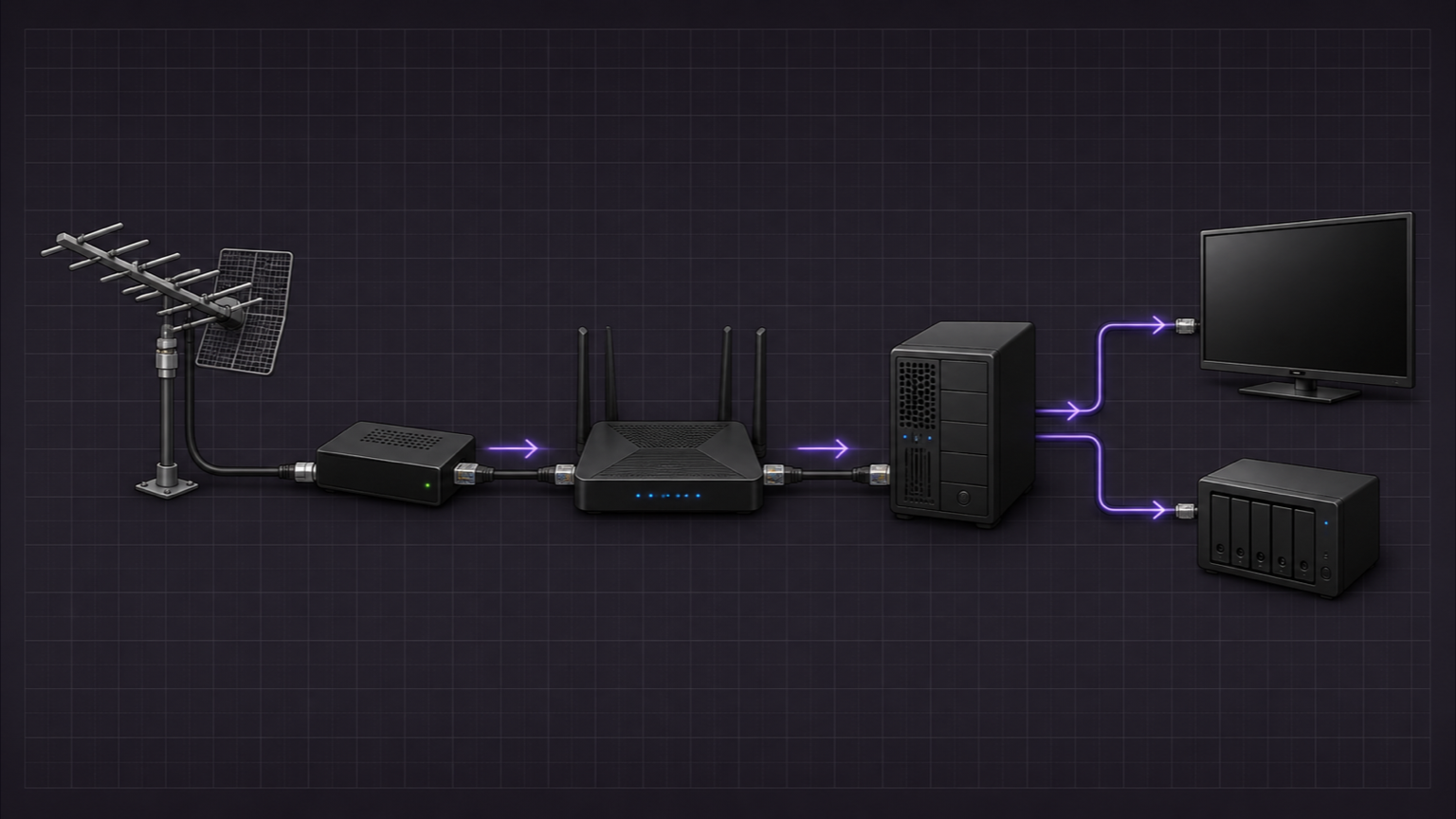
- Connect the antenna coaxial cable to the tuner. Hand-tighten the connector and avoid unnecessary splitters during the first scan.
- Connect the tuner to the trusted router or switch with Ethernet. Do not place it on guest Wi-Fi or an isolated Internet of Things network for initial discovery.
- Connect the supplied power adapter. Confirm that the network indicator shows a valid Ethernet link.
- From a trusted client, open
http://hdhomerun.local. Select Channel lineup > Detect Channels and wait for the scan to finish.
SiliconDust advises aiming the antenna for the highest signal quality, not merely the highest signal strength. Check the tuner diagnostics for a weak channel. Symbol quality should reach 100% for error-free output. If an amplifier raises strength but lowers quality, remove it and test again.
Give the tuner a stable address
Plex recommends that a network tuner keep the same local address. Open the router's LAN, DHCP, or Address Reservation page. The exact label depends on the router. Find the tuner by its device name or hardware address, then reserve its current address.
Do not create a public port-forward for the tuner. Keep multicast discovery enabled only on the trusted local network. If the network uses virtual LANs, begin with Plex Media Server and the tuner on the same trusted segment. Cross-subnet discovery often fails when a router blocks multicast, applies client isolation, or creates a second nested network.
After saving the reservation, restart only the tuner if the router requires a new lease. Reopen http://hdhomerun.local and confirm that the same address appears.
Add the tuner in Plex Web
- Open Plex Web and select Settings > Server > Live TV & DVR.
- Select DVR Setup. Plex should list the tuner automatically. If it does not, use the manual device-location option and enter the tuner's reserved local address.
- Select Setup Device. Choose Antenna or the correct signal type, then enter the country and postal code.
- Select Next to scan channels and match them with the electronic program guide. Review each mapping, disable unusable duplicates, and select Continue.
Guide data can take time to populate. Low-power local stations can lack program data even when the tuner receives them. Do not map an unknown guide entry to a channel only because the numbers look similar. Check the station identity first.
Schedule one controlled recording
Open the program guide and choose a short program that starts soon. Select Record, choose the intended TV library, and confirm the recording. For a series, start with New Airings Only to avoid an unexpected backlog.
Select Show Advanced when timing or storage needs a limit. Add a small end-time buffer for live events. Use Limit to Channel if the same program appears on several stations. Set Keep to a bounded number for daily news. Leave Delete Episodes After Watching on Never during the first test, because another retention choice can delete an episode after the server administrator watches it.
A conflict means every tuner is already allocated. Use Manage to open the recording schedule, then change priority or cancel the less important recording. Do not run the HDHomeRun application on another device during this test, because Plex expects reliable access to the tuner.
Verify the allowed and denied paths
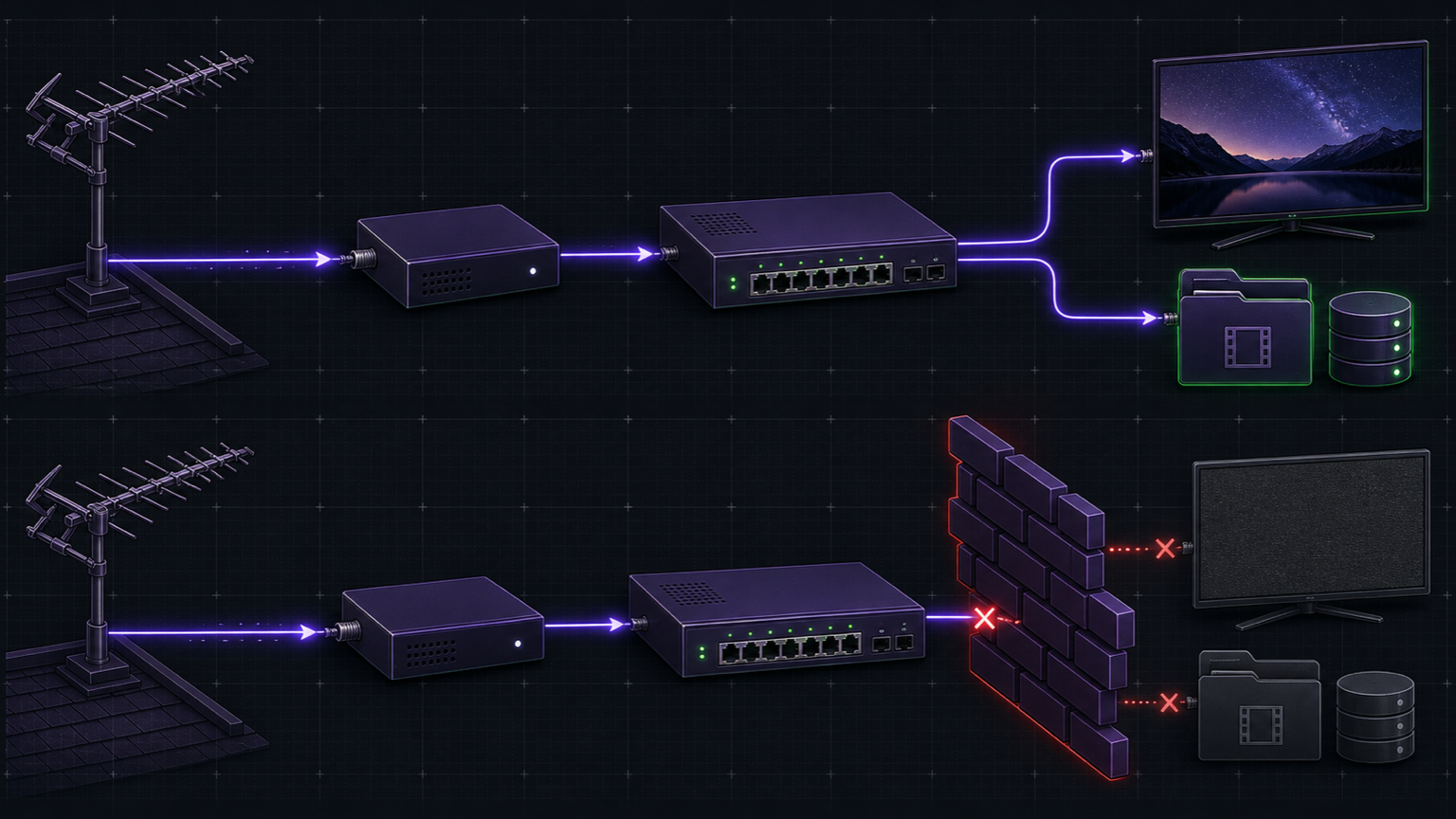
Test the allowed path first:
- On a trusted local client, open
http://hdhomerun.localand confirm that the lineup loads. - In Plex, open Live TV, start a mapped channel, and watch long enough to confirm stable video and audio.
- Open Settings > Server > Live TV & DVR and confirm that the tuner remains listed at its reserved address.
- After the scheduled program finishes, open the selected TV library and play the saved recording.
Now test the denied path without changing the firewall. Connect a phone or laptop to the guest network. Attempt to open http://hdhomerun.local and the tuner's reserved address. Both requests should fail. This proves that guest clients cannot administer or stream directly from the tuner. Plex playback can still follow its separately authorized server path when the account and remote-access policy allow it.
Troubleshoot discovery and playback
If Plex cannot find the tuner, first open the tuner page from the Plex server's trusted segment. A failed page load points to Ethernet, address assignment, firewall, or segmentation rather than Plex. Confirm that the router provides DHCP, multicast is enabled, and the server is not connected through a VPN. Remove guest isolation only from the trusted segment, never from the guest network.
If the tuner appears but channels fail, rerun Channel lineup > Detect Channels. Check antenna direction and signal quality. Test without splitters or amplifiers. A strong but noisy signal can still fail to decode.
If live TV works but recordings fail, verify write permission and free space on the selected TV library. Check the recording schedule for tuner conflicts. If playback fails only on some clients, the server may lack enough processing capacity to transcode the broadcast codec. Test a client that can direct-play the stream before changing the server.
Safe rollback
Before changing DVR settings, preserve the Plex configuration directory. If Plex is managed by Stackarr, follow Backups and restore and run a backup before the tuner setup; otherwise stop Plex and copy its configuration with the existing backup method.
Cancel pending recordings in Plex before removing the DVR. Preserve any wanted recordings outside an auto-delete rule. Then open Settings > Server > Live TV & DVR, remove or disable the configured DVR, and confirm that the program guide disappears. Remove the dedicated TV library only after checking its files. Finally, delete the tuner reservation only if the device will leave the network. Do not broaden guest-network access as part of rollback.
The antenna and tuner can remain available to another supported application after Plex releases them. Restore the saved Plex configuration only when the setup changed more than the DVR entries or the server database is damaged.
Verification ledger
Sources and further reading
- Live TV & DVR (Set Up and Manage)Plex · Primary source
- Supported DVR Tuners and AntennasPlex · Primary source
- Frequently Asked Questions - DVR & Live TVPlex · Primary source
- Setting Up RecordingsPlex · Primary source
- Getting Started with HDHomeRunHDHomeRun · Primary source
- HDHomeRun Network TroubleshootingHDHomeRun · Primary source
- Understanding Signal Strength and QualityHDHomeRun · Primary source